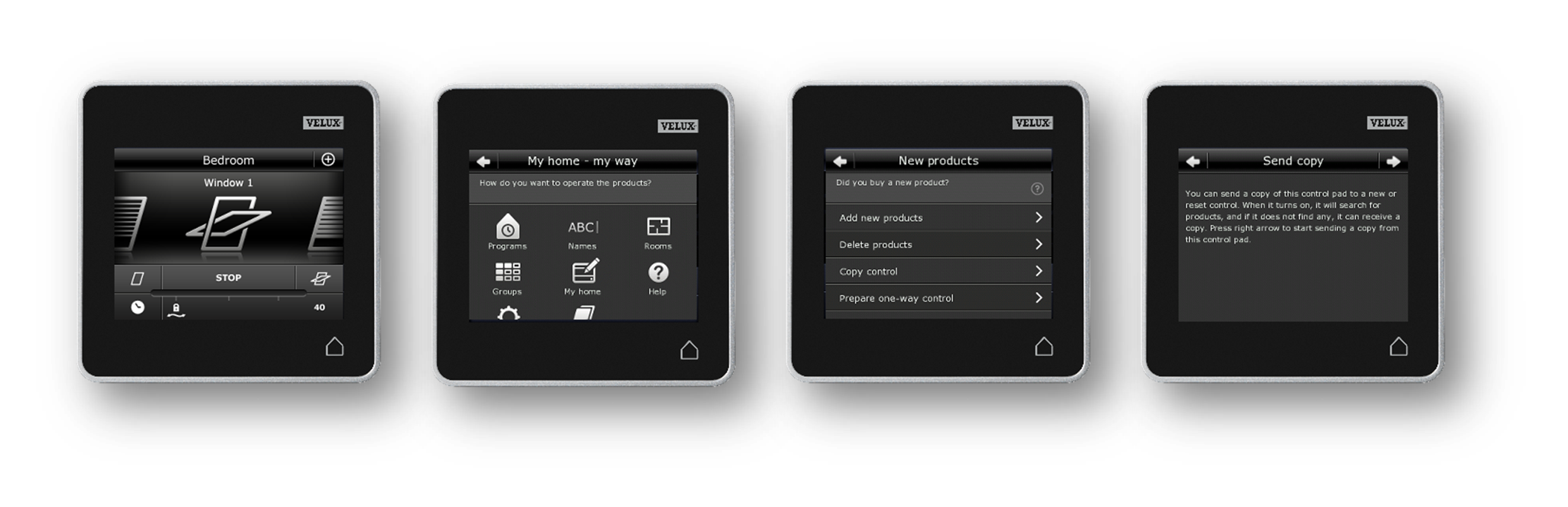
This article will show you how to copy the products controlled by an existing control pad (KLR 200) in order to finalize the setup of your new VELUX Touch control
Prepare your 2-way remote control (KLR 200) to send a copy of the products to your new VELUX Touch controller.
Please follow the below described steps:
- Turn on the control pad (house icon in lower right corner)
- Tab More (“+” in upper right corner)
- Tab New product
- Tab Copy control
- Tab Next (arrow in top right corner) to start sending the copy
Now return to your VELUX Touch to complete the products transfer and installation.
Note: The products transfer has to be completed within maximum 2 minutes.